NOAA's Office of Coastal Survey announced that starting
April 13, 2014 they will no longer print lithographic nautical charts. These lithographic charts have been around since 1862 when the Office of Coastal Survey began printing the popular marine charts. Sailor, boaters and mariner have relied on these charts to navigate the coastal water of the US including the Great Lakes, Alaska, Hawaii, Puerto Rico and the US Virgin Islands.
In recent years the increased use of electronic charts and a decreased use of paper charts has been overwhelming. The availability of electronic charts in ENC format for PC and mobile devices and print on demand chart services were some additional factors that necessitated the change. Paper charts will only be available for purchase from NOAA's certified
print on demand chart suppliers.
PDF Nautical Charts ServiceNOAA has also
introduced a service that will allow you to download, view and print the PDF versions of the paper like Raster charts. This version is nice because it is portable and readable by any pdf viewer and most web browsers. Zooming and panning of the images is allowed.
They are in the process of evaluating this service also to determine if it is useful to mariners. So if you like the PDF version of the files let NOAA know so this service will continue to be offered.
RNC 400 Dots Per Inch UpgradeNOAA also recently announced that it will be upgrading the NOAA Raster Nautical Charts to 400dpi resolution. The present charts are 254dpi so there will be a noticeable increase in clarity and readability of the new charts. A
test set of a limited number of 400DPI files is located on the NOAA site. The test files include Tampa Bay, Detroit, Long Island Sound, and Puget Sound. If no issues are noted with the test files NOAA will begin upgrading all the RNC files starting in January 2014. NOAA is taking comments on the new format at this time. If you have any comments about the new format direct them to the
NOAA site.
This increase in resolution will be an added bonus to the iOS and Android marine charting apps that use these files. iOS app like
iNavX,
SEAiq and
NobelTec are some of the top performing apps that I have reviewed and that use the RNC charts. I assume it will take some programming changes by these developers to use the new 400dpi chart formats.
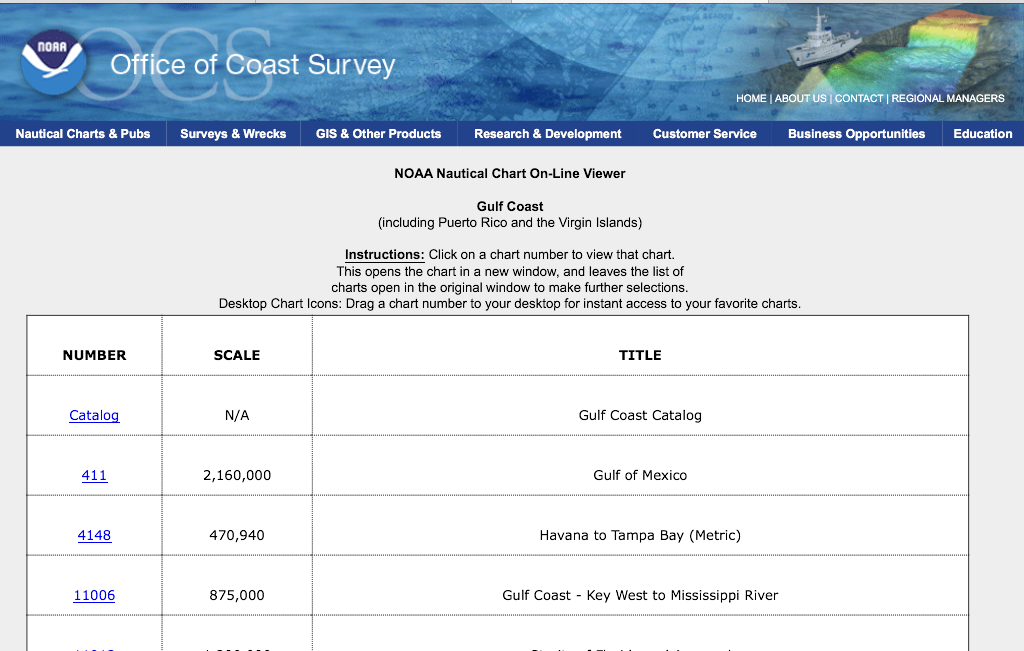
Online Chart ViewerThe online chart viewer is another way you can access all of NOAA's RNC charts. The viewer is an easy way to access charts if you have an Internet connection. It will work on any PC or Mac web browser along with the Adobe Flash Player. I tried to use it on my iPad with no luck do to the absence of Flash support. Darn you Steve Jobs. It should however work on any Android mobile device since they do not have that limitation.
The charts are listed by Region, number and name so it is easy to find the area you are interested in. Regions included Atlantic Coast. Gulf Coast, Pacific Coast. Alaska and the Great Lakes.
A notice to mariners that these screen captures do not fulfill the chart carrying requirements for regulated commercial vessels under Titles 33 and 46 of the Code of Federal Regulations. Only official full scale nautical charts should be used for real world navigation.Well, it appears our US government is in fact paying attention to the changes in the marine industry. They are changing with the times to better serve the mariners who use their products. I find it encouraging to see the government actually stopped some processes that are no longer used or required. I commend the Office of Coastal Survey for listening and reacting positively to change.
~~~ Sail On ~~~
/)Mark